Sign language learning app

Hora da Libras

ROLE

UX Designer

EXPERTISE

UX/UI Design

YEAR

2025
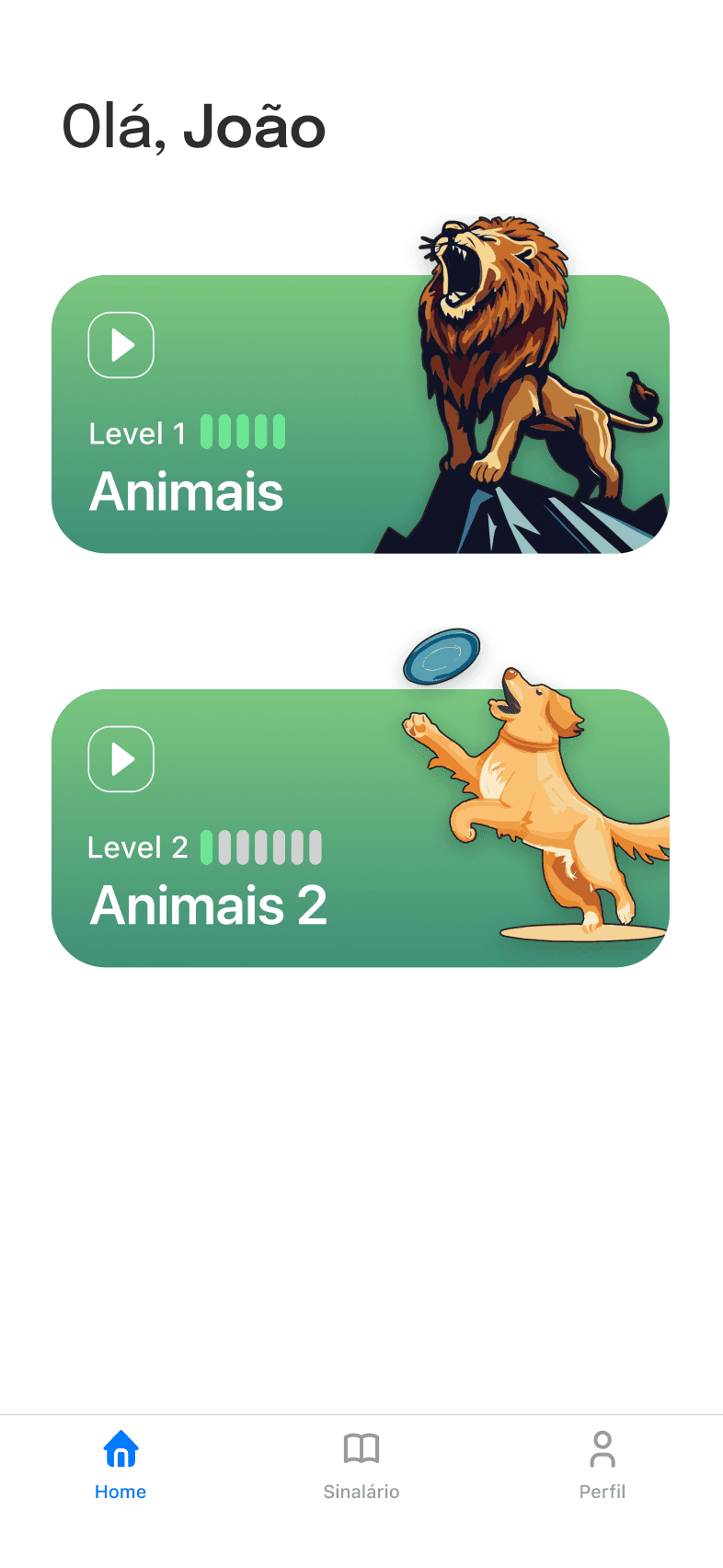
Hora da Libras home screen with the Animals 1 and Animals 2 units
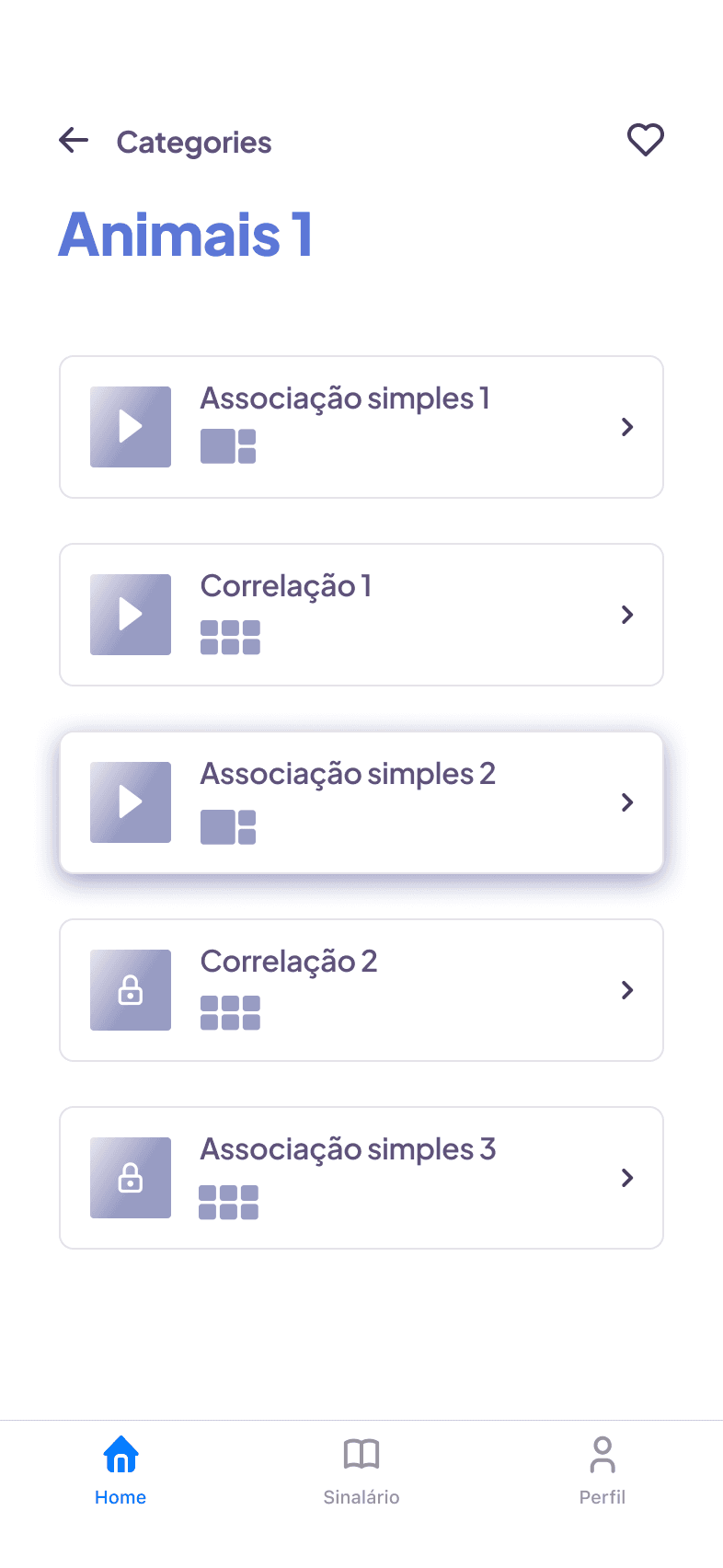
Hora da Libras Animals 1 unit listing its exercises
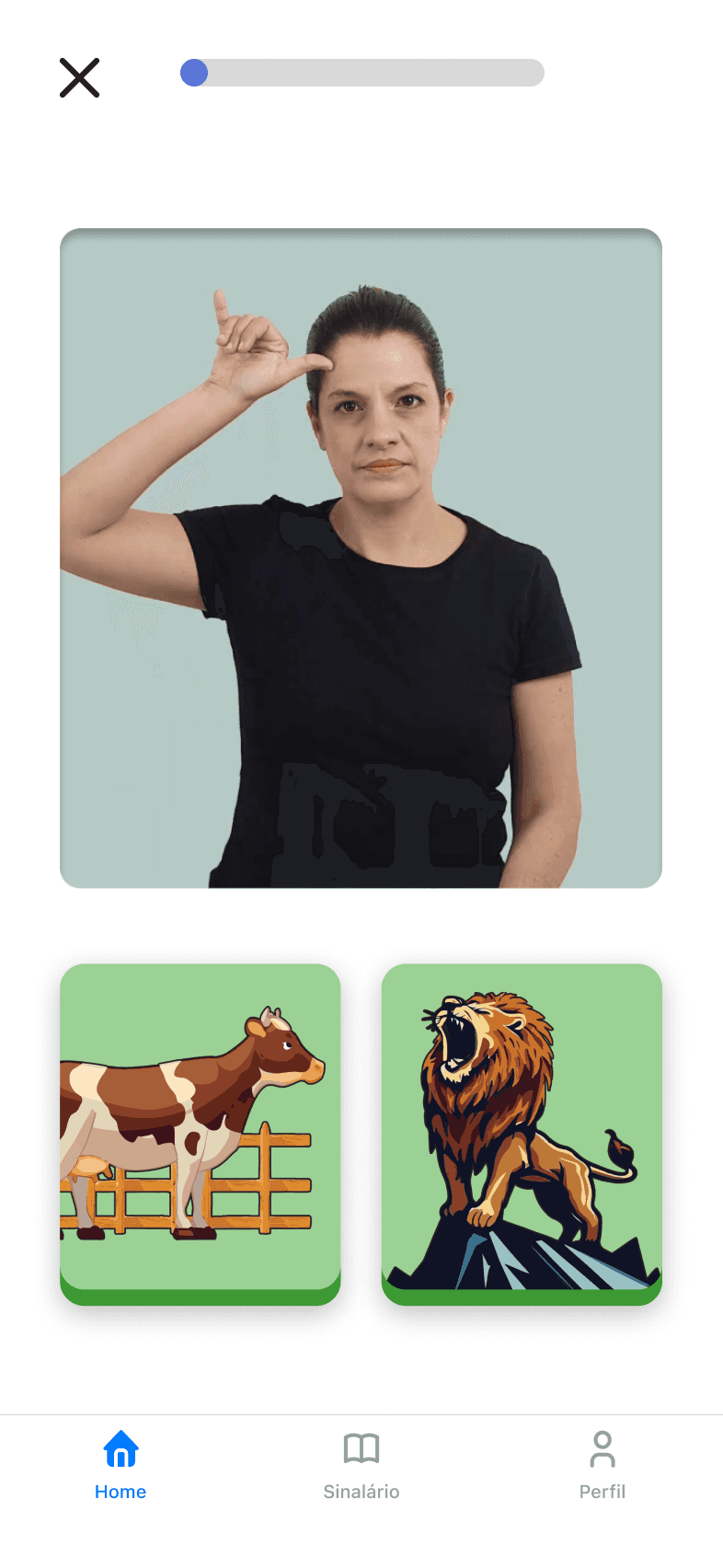
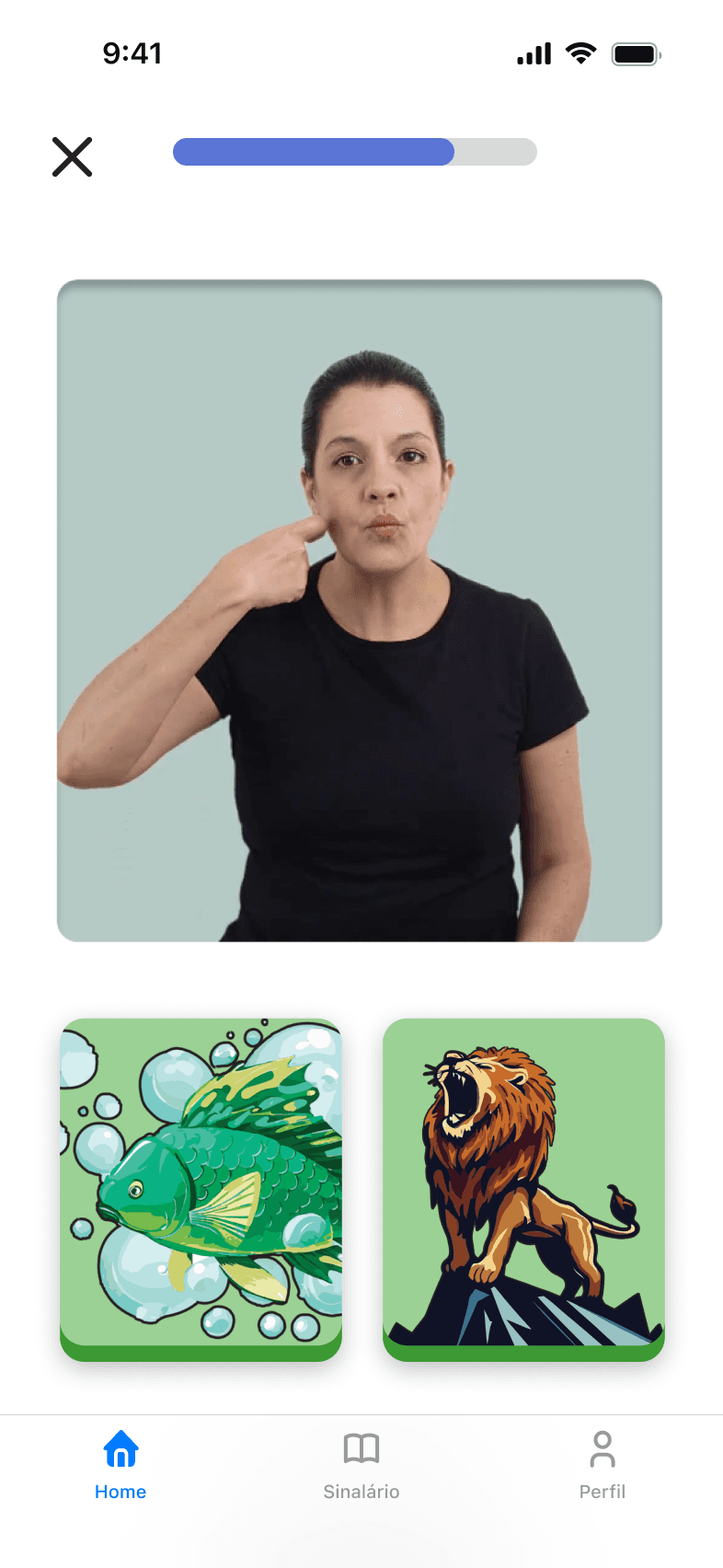
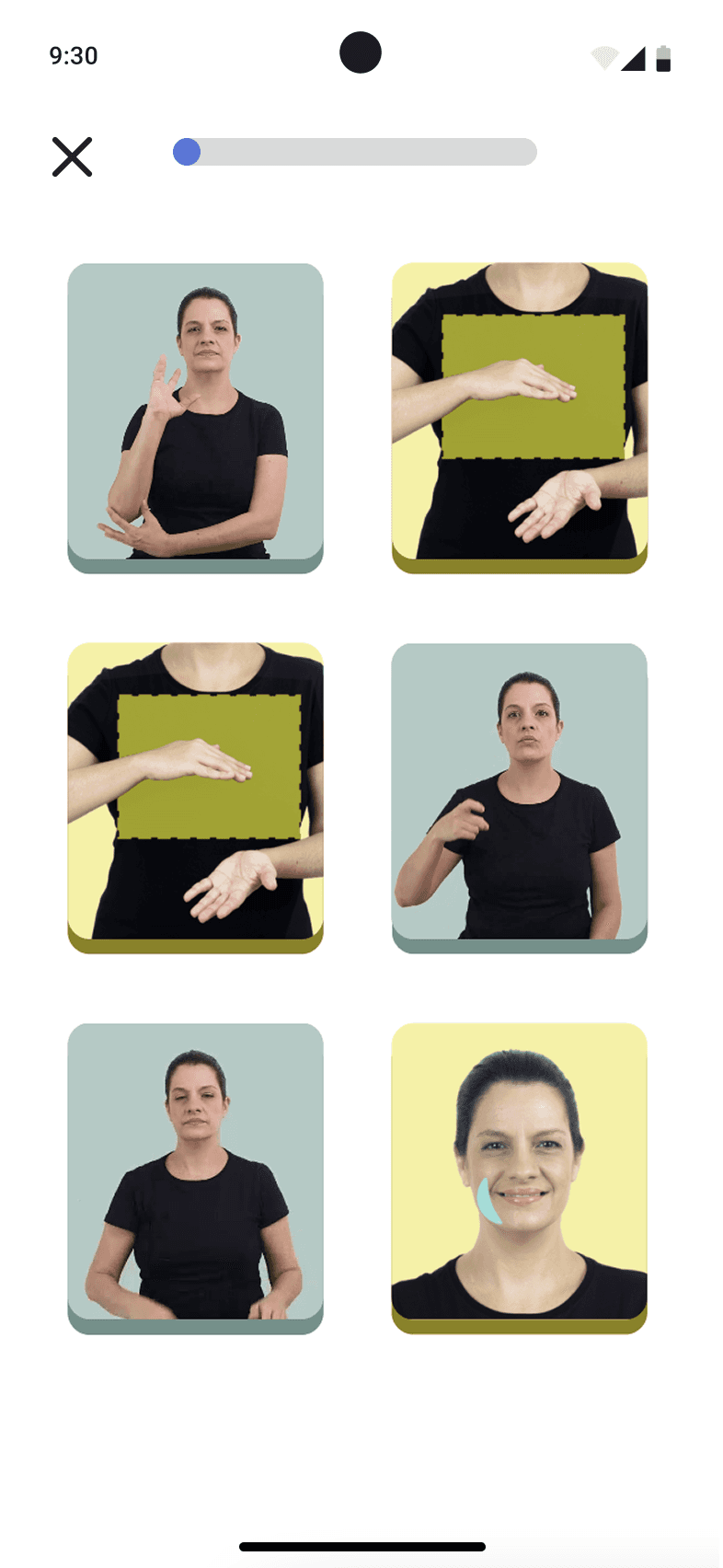
Hora da Libras exercise: signer video with two animal picture options
  • Hora da Libras home screen with the Animals 1 and Animals 2 units
  • Hora da Libras Animals 1 unit listing its exercises
  • Hora da Libras exercise: signer video with two animal picture options

Teaching Brazilian Sign Language through play and evidence.

Hora da Libras started as an inter-university research project to help children learn Libras as a first language. The first pilot showed communicability breakdowns and uneven task success. I redesigned the product using Semiotic Engineering, treating the interface as a message from designer to user. I validated the changes through MAC (Communicability Evaluation Method) and SUS (System Usability Scale). This case explains how we clarified that message, reduced cognitive load with chunking, and improved usability across core exercises.

I led the full product design process, including discovery, UX strategy, information architecture, UI, prototyping, and research operations. I also set up a shared Notion workspace to manage scope, hypotheses, evidence, releases, and rituals.

Team: 1 designer (me), 2 developers, programming instructors, and a speech‑language pathology specialist team.

Note: This project was done in Portuguese and later translated to English by me.

Challenges
  • Teach sign language to deaf children with late or limited exposure to Libras, especially those born to hearing families.

  • Wide variation in language proficiency and attention span; many users are pre-literate.

  • Teach sign language to deaf children with late or limited exposure to Libras, especially those born to hearing families.

  • Wide variation in language proficiency and attention span; many users are pre-literate.

  • Limited caregiver insight into progress, reducing at-home support.

  • Ethical and scheduling constraints for research sessions with children.

  • Limited caregiver insight into progress, reducing at-home support.

  • Ethical and scheduling constraints for research sessions with children.

High Level Goals
High Level Goals
High Level Goals

Make the app usable without reading so children learn by watching and doing.

Keep kids oriented at all times with a clear next step and visible progress.

Use short, fun activities with instant feedback to sustain engagement.

Impact

0%

reduction in communicability breakdowns after redesign, making the interface significantly clearer for young deaf users.

72.5

SUS scores improved from 72.5 to 84.16 after the redesign, reaching an excellent level.
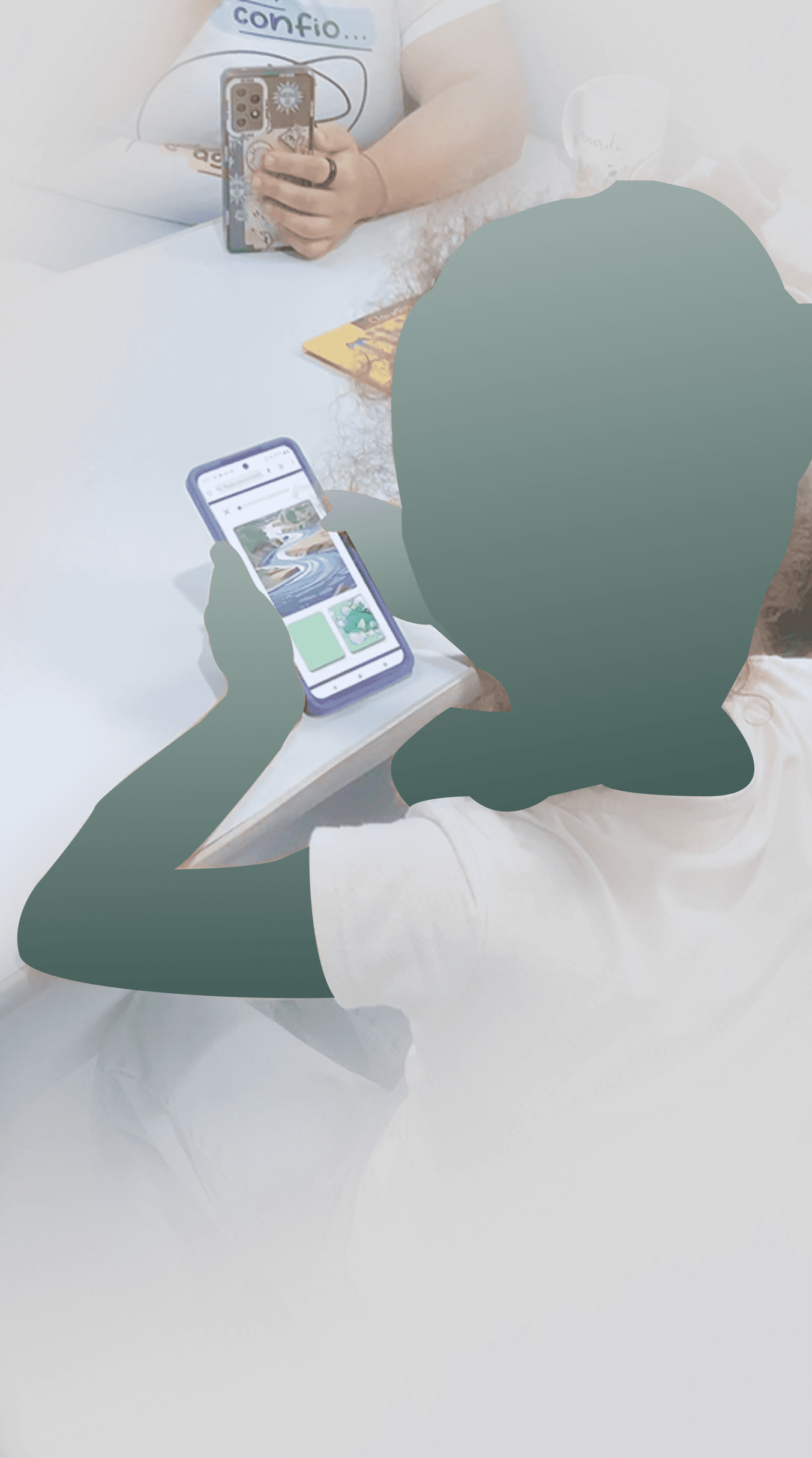
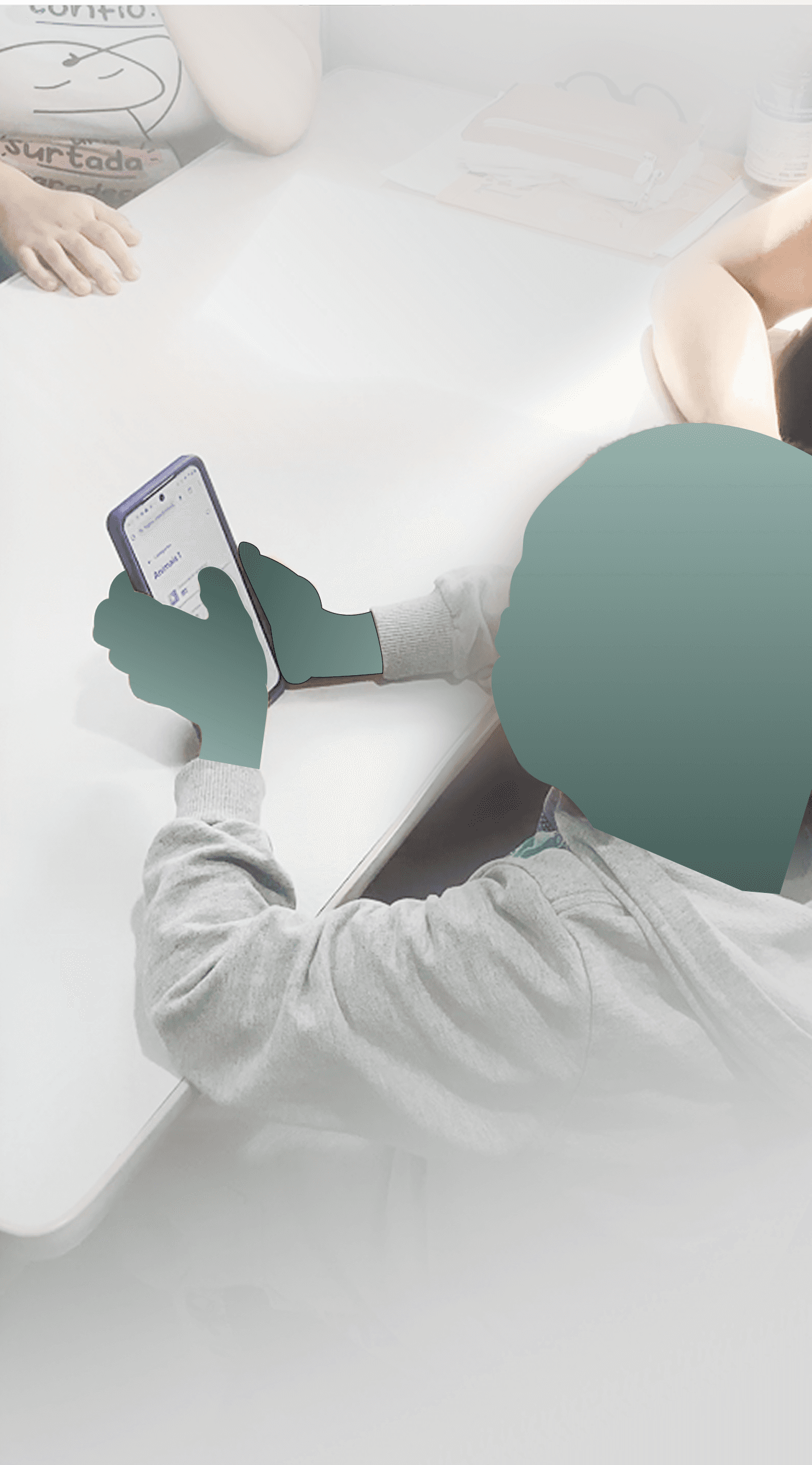
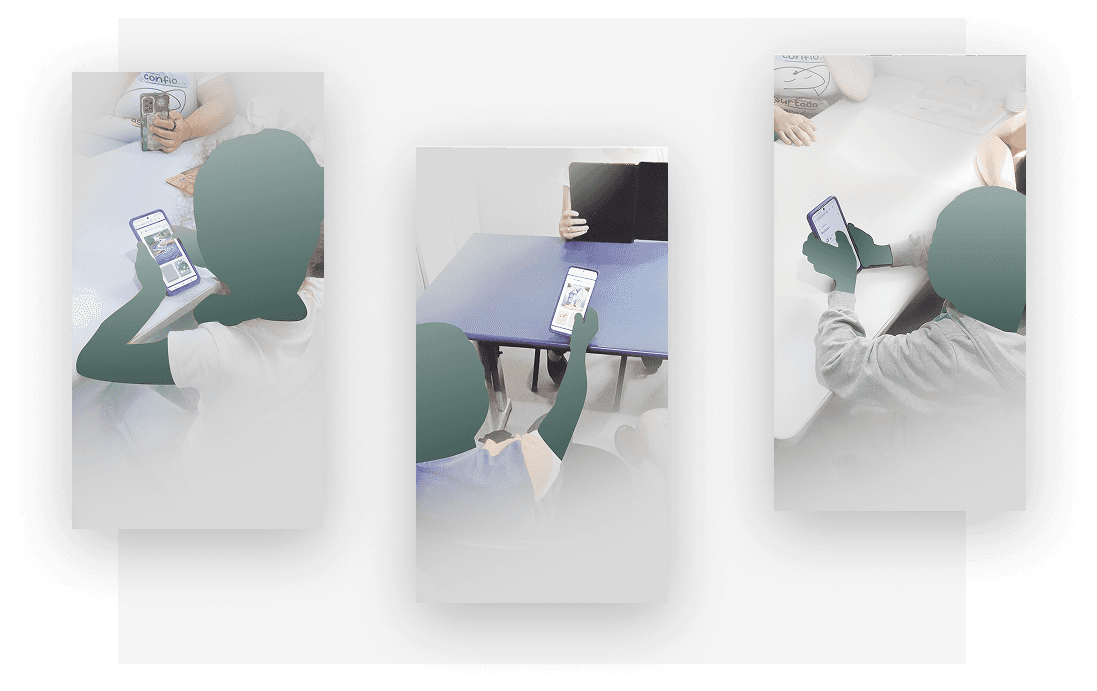
  • Child using Hora da Libras on a phone during a test session
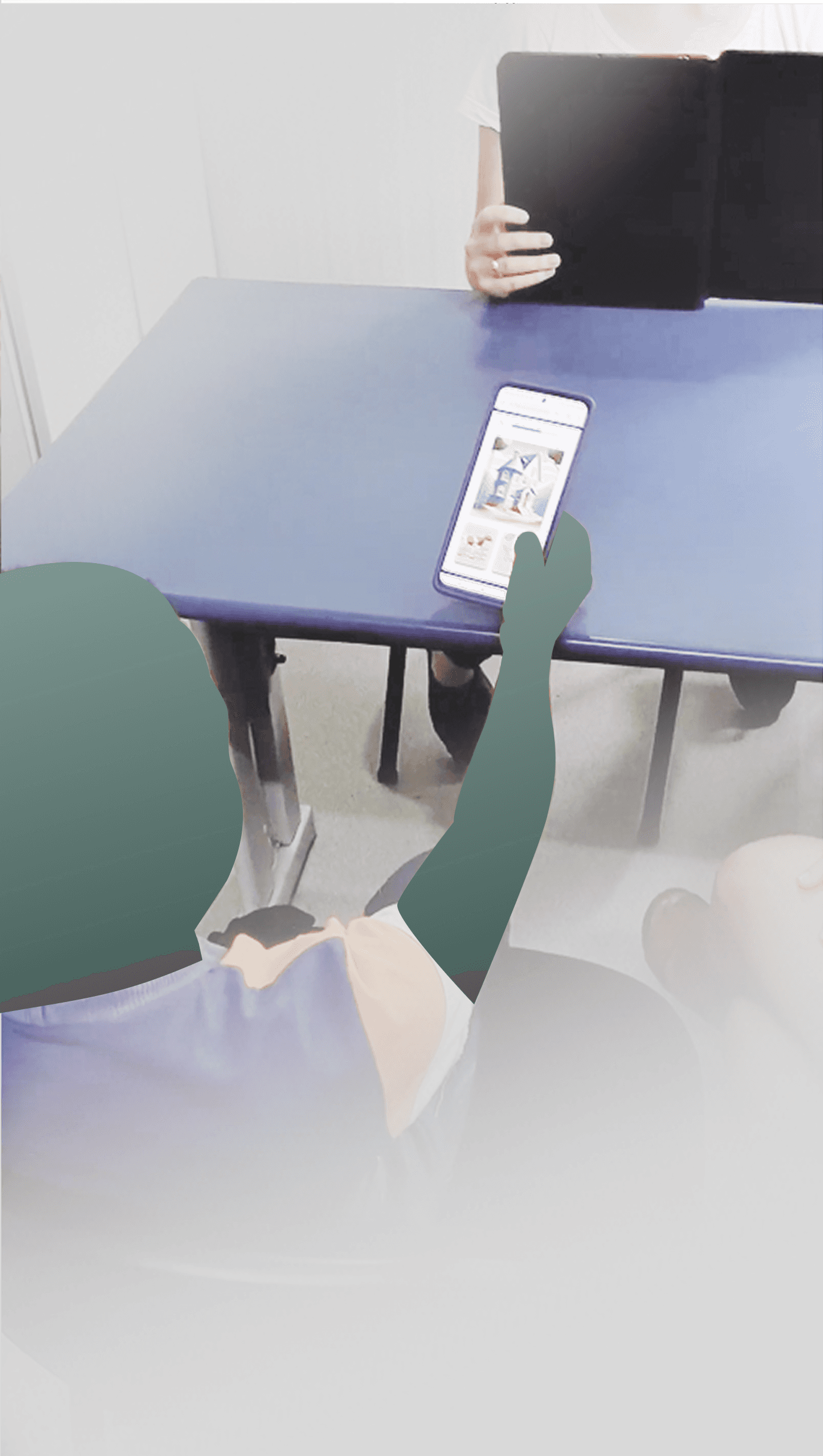
  • Child using Hora da Libras on a tablet during usability testing
  • Child holding a phone with Hora da Libras during usability testing
Child using Hora da Libras on a phone during a test session
Child using Hora da Libras on a tablet during usability testing
Child holding a phone with Hora da Libras during usability testing
Child using Hora da Libras on a phone during a test session
Child using Hora da Libras on a tablet during usability testing
Child holding a phone with Hora da Libras during usability testing
0%

task completion in redesigned exercises, achieved by all 6 deaf children during usability testing.

0

Adopted by 2 federal universities (UFRJ & UFF) in their speech therapy programs, confirming real-world educational impact.
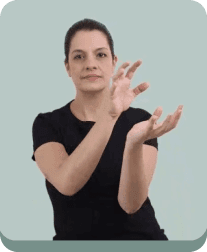
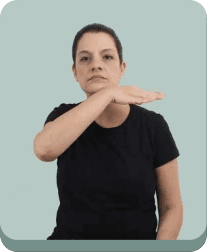
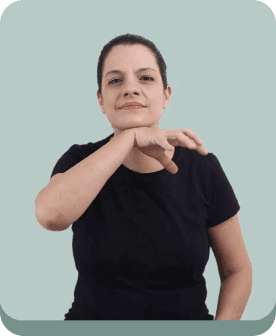
Signer demonstrating a Libras sign
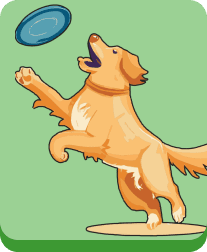
Illustration of a dog catching a frisbee
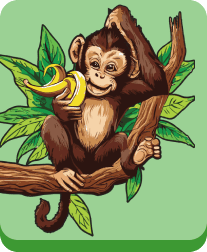
Illustration of a monkey eating a banana in a tree
Illustration of a pig in the mud
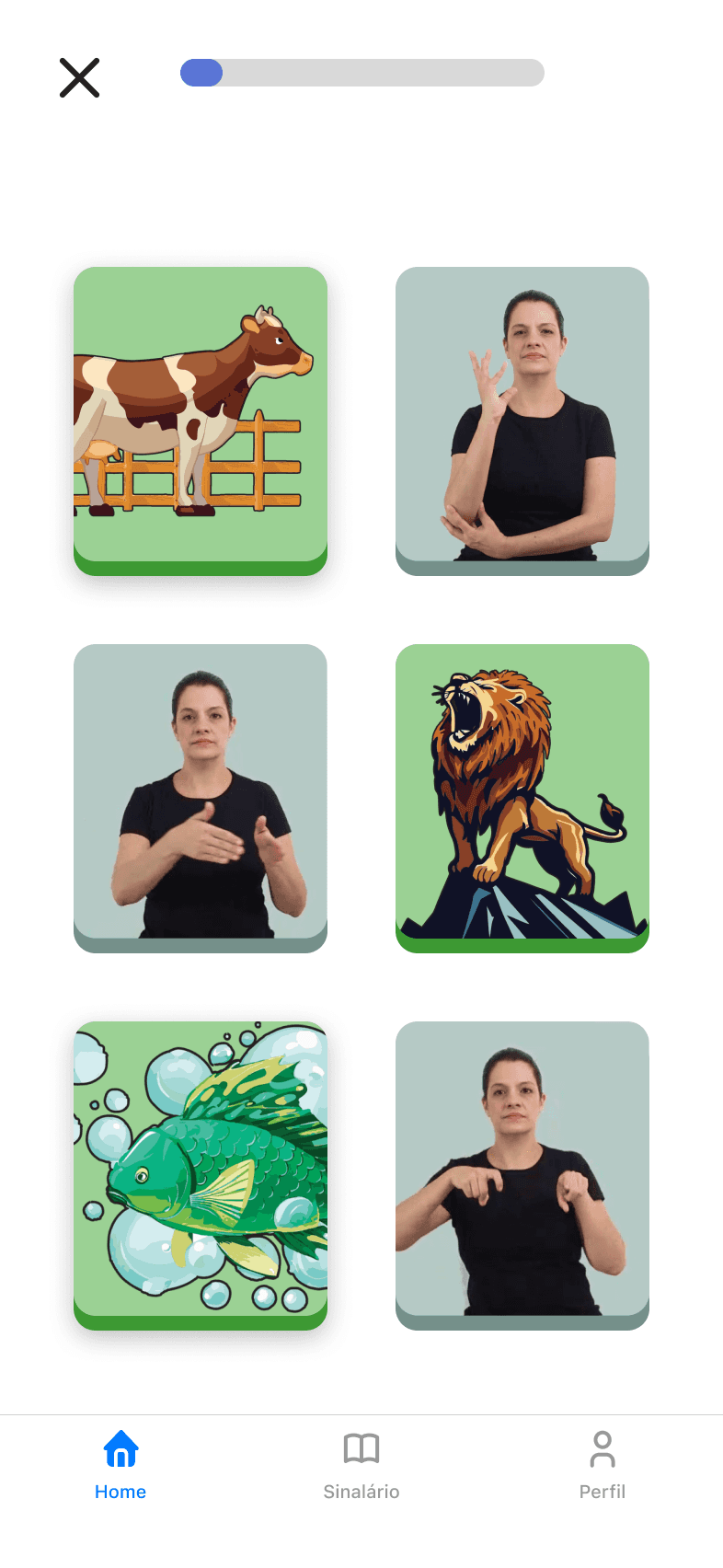
Hora da Libras exercise grid mixing animal pictures and signer videos
Signer demonstrating a Libras sign
Illustration of a dog catching a frisbee
Illustration of a monkey eating a banana in a tree
Illustration of a pig in the mud
Hora da Libras exercise grid mixing animal pictures and signer videos
Hora da Libras exercise: pick the animal that matches the sign
  • Hora da Libras exercise grid mixing animal pictures and signer videos
  • Hora da Libras exercise: pick the animal that matches the sign

Process Overview

We ran a fast, user-centered loop. Semiotic Engineering guided decisions so the interface clearly “speaks” to the child through visuals. I was the sole designer, aligning developers, programming teachers, and speech-language specialists in a shared Notion.

Research & Planning

Research & Planning

Desk research and short field conversations with educators and families to understand context and constraints. Success defined as fewer points of confusion, higher task completion, and better SUS.

Desk research and short field conversations with educators and families to understand context and constraints. Success defined as fewer points of confusion, higher task completion, and better SUS.

Design & Prototyping

Design & Prototyping

I started with a simplified UI and navigation flow aligned with WCAG 2.0 (Web Content Accessibility Guidelines), each screen focused on a single action. I also built interactive prototypes and a lightweight design system to support rapid iterations.

I started with a simplified UI and navigation flow aligned with WCAG 2.0 (Web Content Accessibility Guidelines), each screen focused on a single action. I also built interactive prototypes and a lightweight design system to support rapid iterations.

Implementation

Implementation

Delivered specs, motion, and feedback patterns. Optimized media for low-end devices and prepared reusable templates for sign videos.

Delivered specs, motion, and feedback patterns. Optimized media for low-end devices and prepared reusable templates for sign videos.

Testing & Optimization

Testing & Optimization

Usability sessions and SUS informed iterations on progress visibility, return paths, and immediate feedback until flows felt predictable and self-explanatory.

Usability sessions and SUS informed iterations on progress visibility, return paths, and immediate feedback until flows felt predictable and self-explanatory.

User Persona

To design for the real context of deaf children and their families, I created a primary persona that anchored every decision from IA to microcopy. Bringing Maria to life kept us focused on visual-first interaction, shared devices, and the need for fast, clear feedback. The persona informed the Lean Canvas, guided user stories, and tied research insights to UI choices.
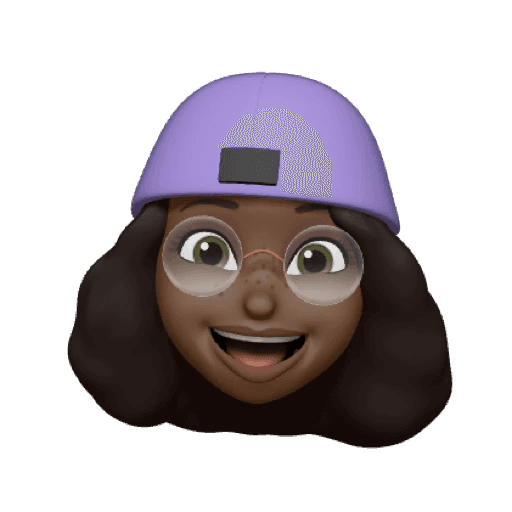
Memoji avatar for the persona Maria Gomes
Maria Gomes | 10

Deaf child learning Libras as a first language

Location
Location

Rio de Janeiro,
Brazil

Rio de Janeiro,
Brazil

Education
Education

2nd grade student

Challenges
Challenges

Limited early exposure to Libras, gets lost with text-heavy apps

Limited early exposure to Libras, gets lost with text-heavy apps

Goals
  • Communicate with family and classmates using everyday signs

  • Learn through short, playful tasks and see her progress

  • Feel independent and proud of small wins

  • Communicate with family and classmates using everyday signs

  • Learn through short, playful tasks and see her progress

  • Feel independent and proud of small wins

Needs
  • Visual-first instructions with one clear action per screen

  • Predictable navigation and large tap targets

  • Instant feedback and a safe way to try again

  • Light, well-framed sign videos that work on low-end phones and weak internet

  • Visual-first instructions with one clear action per screen

  • Predictable navigation and large tap targets

  • Instant feedback and a safe way to try again

  • Light, well-framed sign videos that work on low-end phones and weak internet

Pain Points
  • Tries to learn Libras using apps that require reading Portuguese to move forward

  • Ambiguous icons and hidden actions that create detours

  • Heavy videos that stutter or fail to load

  • No guidance on what to practice next or how caregivers can help

  • Tries to learn Libras using apps that require reading Portuguese to move forward

  • Ambiguous icons and hidden actions that create detours

  • Heavy videos that stutter or fail to load

  • No guidance on what to practice next or how caregivers can help

User Journey

Maria tries a traditional Libras app made for Portuguese readers. Text onboarding and menu labels force a parent to translate, so she feels it isn’t for her. With Hora da Libras, visual tiles and a short sign video invite action and she starts on Animals.
Memoji avatar for the persona Maria Gomes giving a thumbs up
Conflicting

Traditional tasks mix icons and give no hint after errors. Hora da Libras offers help cues and Sinalário to guide a retry.

Traditional tasks mix icons and give no hint after errors. Hora da Libras offers help cues and Sinalário to guide a retry.

Thoughts: I cannot read this. I need my parent to explain. This app is not for me.

Actions: Hands the phone to a parent, waits for translation, taps randomly, feels reluctant to continue.

Thoughts: I cannot read this. I need my parent to explain. This app is not for me.

Actions: Hands the phone to a parent, waits for translation, taps randomly, feels reluctant to continue.

Thoughts: These prompts are long. I am not sure what the task is or if I did it right.

Actions: Skims or skips text, guesses answers, backtracks often, spends extra time with little sense of progress.

Thoughts: These prompts are long. I am not sure what the task is or if I did it right.

Actions: Skims or skips text, guesses answers, backtracks often, spends extra time with little sense of progress.

Thoughts: Icons are confusing and after an error I get no clue. I must ask for help.

Actions: Repeats taps without understanding, opens menus looking for hints, calls a parent, leaves the exercise unfinished.

Thoughts: Icons are confusing and after an error I get no clue. I must ask for help.

Actions: Repeats taps without understanding, opens menus looking for hints, calls a parent, leaves the exercise unfinished.

Thoughts: I am tired and I do not see what I achieved. Better stop.

Actions: Closes the app, switches to another activity, does not return later because progress feels lost or unclear.

Thoughts: I am tired and I do not see what I achieved. Better stop.

Actions: Closes the app, switches to another activity, does not return later because progress feels lost or unclear.

Trying

Traditional lessons lean on text and long prompts. Hora da Libras uses quick watch, choose, confirm loops with instant feedback.

Traditional lessons lean on text and long prompts. Hora da Libras uses quick watch, choose, confirm loops with instant feedback.

Starting

Traditional app expects reading. Hora da Libras greets with visual tiles and a short sign video.

Traditional app expects reading. Hora da Libras greets with visual tiles and a short sign video.

Quitting

Traditional app ends in frustration and no clear progress. Hora da Libras saves progress and suggests the next step.

Traditional app ends in frustration and no clear progress. Hora da Libras saves progress and suggests the next step.

Method and Toolkit

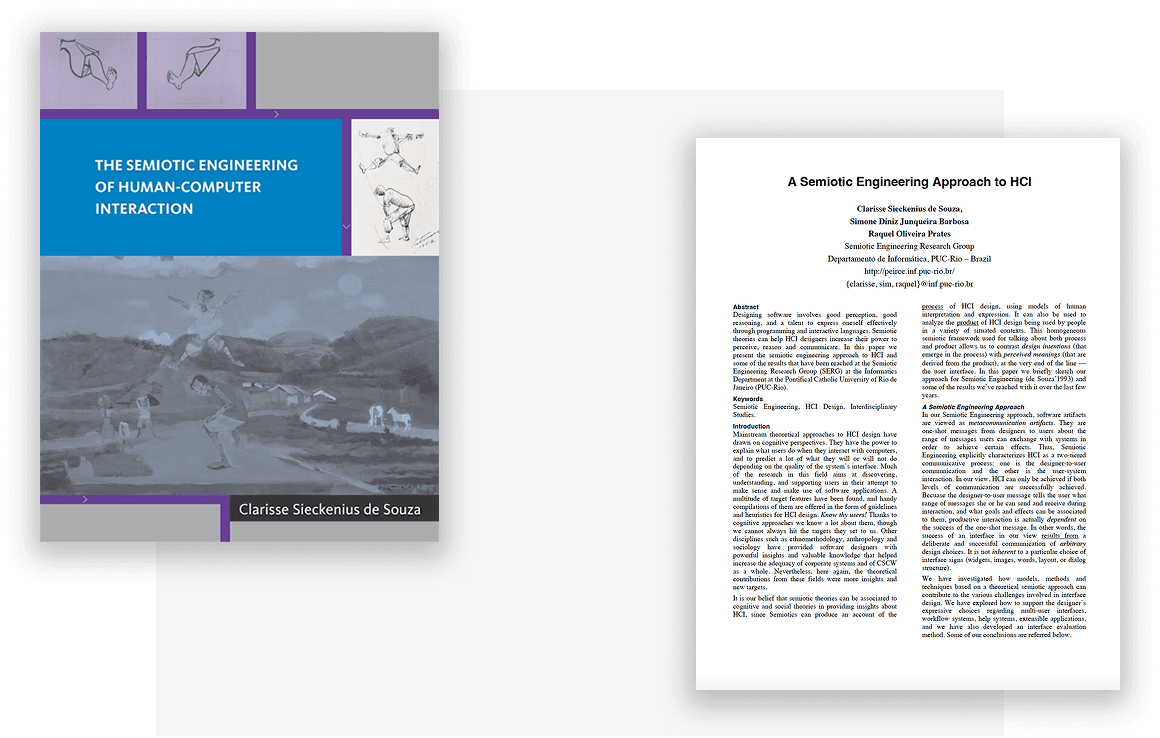
The project was guided by Semiotic Engineering, which views the interface as a message from the designer to the child. If children struggle to understand what is happening or what to do next, the message is failing. To detect these breakdowns, I applied the Communicability Evaluation Method (MAC) and tagged moments of confusion with labels like “What now?”, “Where am I?”, or “What is this?”.

To measure overall usability, I used the System Usability Scale (SUS), a standardized 10-item questionnaire. Combined with desk research on early sign-language learning, this toolkit shaped the hypotheses and a lightweight testing plan with educators and families.

Semiotic Engineering references used in the project
Recordings from the communicability evaluation sessions

Round 1 Findings

Round 1 Findings

The first evaluation with deaf children showed clear patterns. Even though the interface followed WCAG guidelines, problems still appeared. MAC tags clustered around progression, the sign dictionary, and the old ranking area. These screens showed unclear next steps, weak return paths, and ambiguous icons. Caregivers often had to mediate at these points.

To capture evidence, we recorded each session with two synchronized cameras. One focused on the screen and the other on facial expressions and body language. We tagged and analyzed the videos, then used them as the basis for MAC and SUS scoring.

The baseline SUS averaged 72.5. This placed the app in a good but improvable range. Observations also showed detours after finishing a unit. These results confirmed our assumptions and pointed directly to which screens and messages required redesign.

From Tags to Fixes

From Tags to Fixes

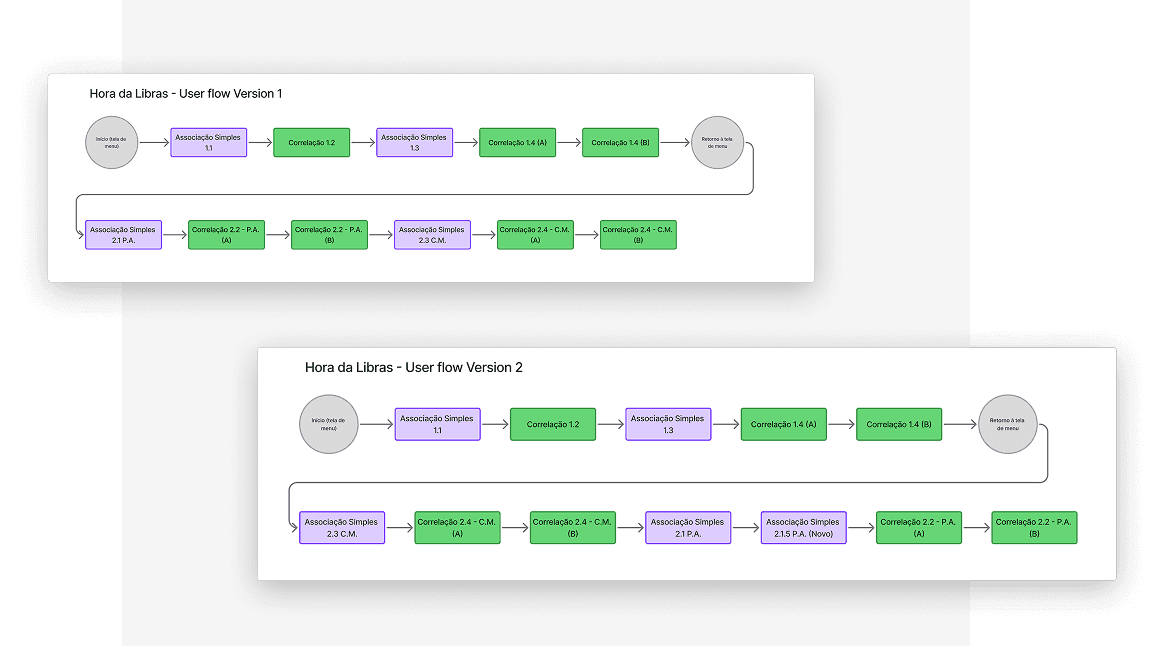
I reviewed the synchronized video recordings and tagged breakdowns using the Communicability Evaluation Method and logged each one with its fix. The redesign added a persistent primary action, clearer progress, and a simple Home → Unit → Exercise flow with a reliable return path.

For harder content like points of articulation, I introduced preparatory steps and split complex activities into smaller blocks (chunking method). I also applied verb-first labels, consistent icons, and immediate feedback. The sign dictionary gained a guided review and an easy way back to the current task. Each change addressed a specific breakdown observed in testing.

Communicability breakdown tags mapped to fixes in the redesigned flow
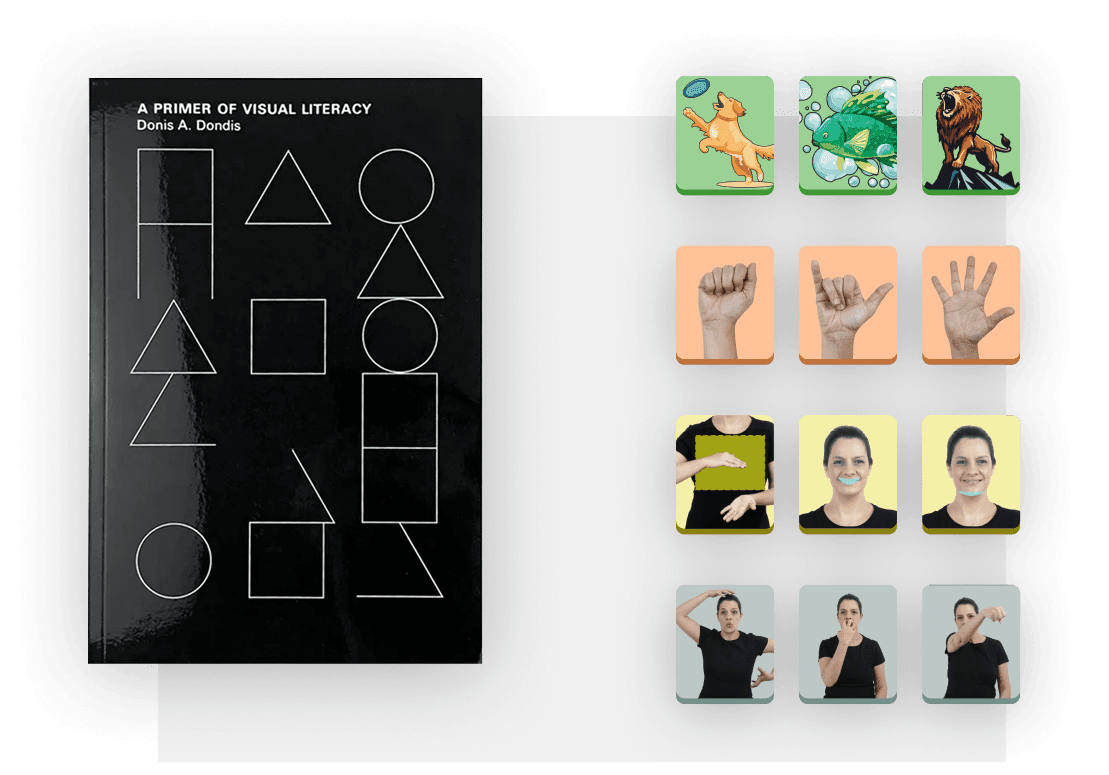
A Primer of Visual Literacy beside the redesigned Hora da Libras icons

Visual Literacy as Design Strategy

Visual Literacy as Design Strategy

The redesign of Hora da Libras used Donis A. Dondis’ A Primer of Visual Literacy to guide how the interface communicates without written Portuguese. Each button type received its own color so learners could identify categories at a glance. Orange marked Handshape (CM), yellow marked Place of Articulation (PA), green marked animals and thematic signs, and light green marked general signs.

Progress bars and consistent exercise icons reinforced this system and showed learners what to do next. Combined with Semiotic Engineering and MAC analysis, these changes made instructions clear, reduced confusion, and helped children move through the units with more independence.

Competitor analysis

I conducted a competitor analysis to understand the strengths and weaknesses of existing Libras learning apps, focusing on how they teach signs, support children who can’t read yet, and give feedback. This helped identify opportunities for differentiation within Hora da Libras.

LibrasLab logo
LibrasLab logo
LibrasLab

A Libras practice app where each task shows a signer video and asks for the matching Portuguese word.

✅ Pros:
• Video of a signer on every task, clear framing, large tap targets
• Speed control and a “translate” option help hearing users check understanding

❌ Cons:
• Prompts and options depend on reading Portuguese, which excludes pre-literate children
• Tasks map sign → Portuguese word rather than building Libras as a first language

SENAI Libras logo
SENAI Libras logo
SENAI Libras

A “sign dictionary” tool and a strong technical reference for hearing learners and vocational contexts, but misaligned with first-language acquisition needs.

✅ Pros:
• Large Libras glossary with search, A–Z index, and filters by domain
• Step-by-step videos for each entry support dictionary lookups

❌ Cons:
• Dictionary, not a learning path; no scaffolded progression or short practice tasks
• 3D characters may miss subtle sign parameters (handshape, movement, orientation, location)
Librário logo
Librário logo
Librário

A Libras card game that uses photos of signs in short, turn-based rounds.

✅ Pros:
• Simple, familiar game loop that motivates play with turn taking and quick wins
• Encourages repetition and visual recall of signs across rounds

❌ Cons:
• UI and cards use Portuguese words and buttons, so pre-literate children need mediation
• Still photos reduce key parameters of the sign; no slow/zoom or movement cues

VLibras logo
VLibras logo
VLibras

A public tool that translates Portuguese text into Libras with a 3D avatar.

✅ Pros:
• Fast PT-BR to Libras translation with a large sign library
• Useful 3D avatars for hearing users to preview a sign for a Portuguese word or sentence

❌ Cons:
• Built as a translator, not a learning path
• Feedback is absent beyond play or pause, so errors do not teach what to notice

Hora da Libras

By analyzing competitors, we saw that most rely on reading Portuguese, work as dictionaries or translators rather than learning paths, and give little feedback after mistakes. Hora da Libras is built for first-language acquisition by deaf children, with short scaffolded tasks, hints after errors, visible progress and real signer videos.

Hora da Libras logo
Hora da Libras app icon

Hora da Libras

Hora da Libras

LibrasLab logo
LibrasLab logo
LibrasLab
LibrasLab
SENAI Libras logo
SENAI Libras logo
Senai Libras
Senai Libras
Librário logo
Librário logo
Librário
Librário

Built for L1 (first language) acquisition by deaf children

Built for L1 (first language) acquisition by deaf children

Built for L1 (first language) acquisition by deaf children

Short, scaffolded tasks (chunking)

Short, scaffolded tasks (chunking)

Short, scaffolded tasks (chunking)

Hints and parameter cues after errors

Hints and parameter cues after errors

Hints and parameter cues after errors

Progress visibility and auto save

Progress visibility and auto save

Progress visibility and auto save

Real signer videos (not 3D avatar)

Real signer videos (not 3D avatar)

Real signer videos (not 3D avatar)

Solution

Hora da Libras is a visual-first app for deaf children learning Libras as a first language. The interface explains itself without reading, guides one action at a time, and rewards small wins. Content is organized by child-friendly semantic fields, with progress saved so families know what to practice next. The work was guided by Semiotic Engineering and iterated through usability sessions using MAC to locate confusion and SUS to confirm overall ease.


Image Association Onboarding

Unit 1 starts with image-to-image matches so learners grasp the mechanic before any signs. A progress bar tracks each small, usability-tested step, and augmentative visuals clarify Portuguese labels, showing progress and exercise type on the selection screen (single choice or matching).

Introducing Animal Signs

Still in Unit 1, the exercises now introduce Libras animal signs and ask learners to connect the signs to the pictures they already know. This bridges recognition from images to signs while keeping the same interaction pattern that the learner has just mastered, with the progress bar tracking completion.

Handshape Foundations

At the start of Unit 2, the concept of Handshape (Configuração de Mão, CM) is introduced. Activities correlate animals from Unit 1 with their respective handshapes, helping learners notice form before location, and the unit advances through a short, well-scaffolded series of exercises.

Place of Articulation and Chunking

Only after CM do we bring in Place of Articulation (Ponto de Articulação, PA). We apply the chunking method described in the thesis, starting with simpler selections and then moving to matching. This reduces cognitive load while the progress bar continues to signal advancement.

Each completed exercise adds points to the learner’s total. At the end of the video, those points appear in the user’s profile.
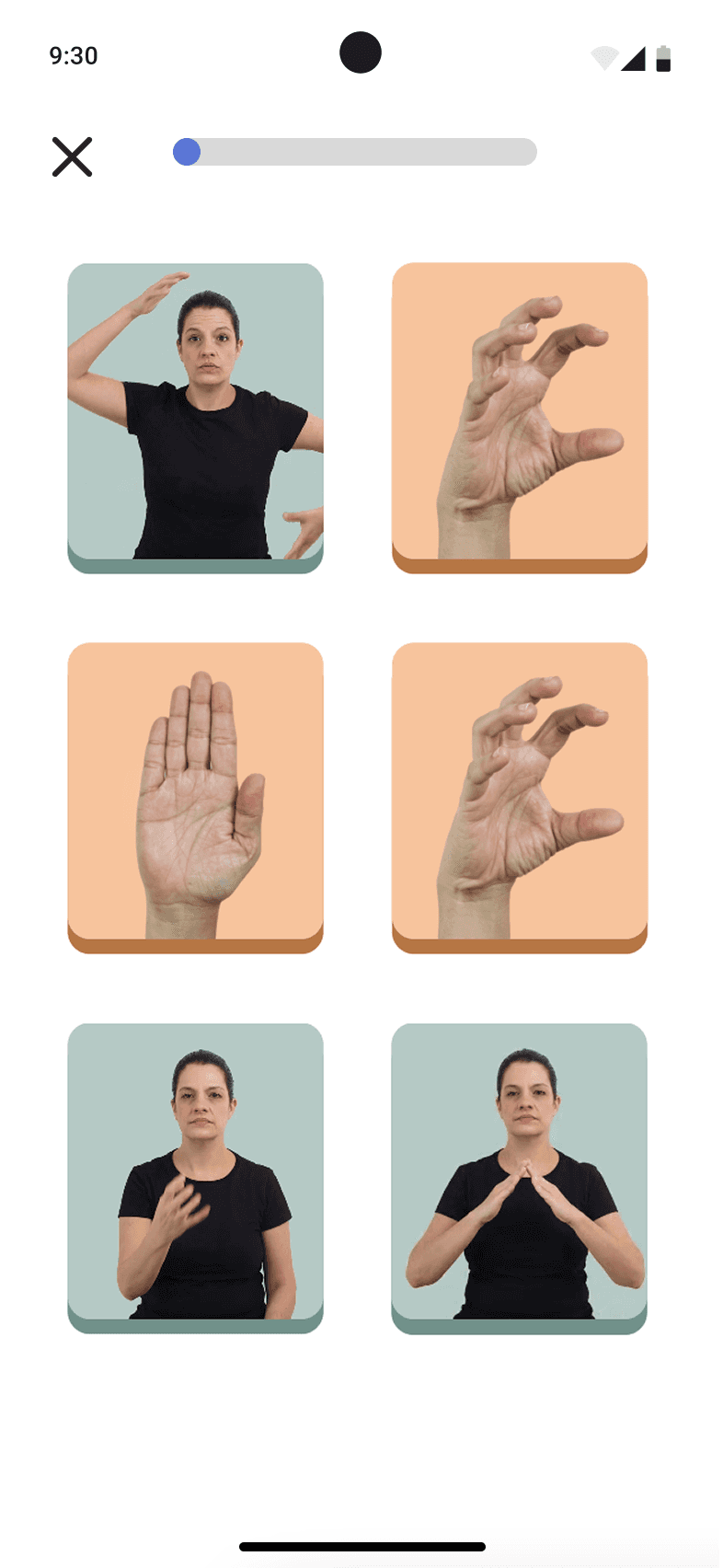
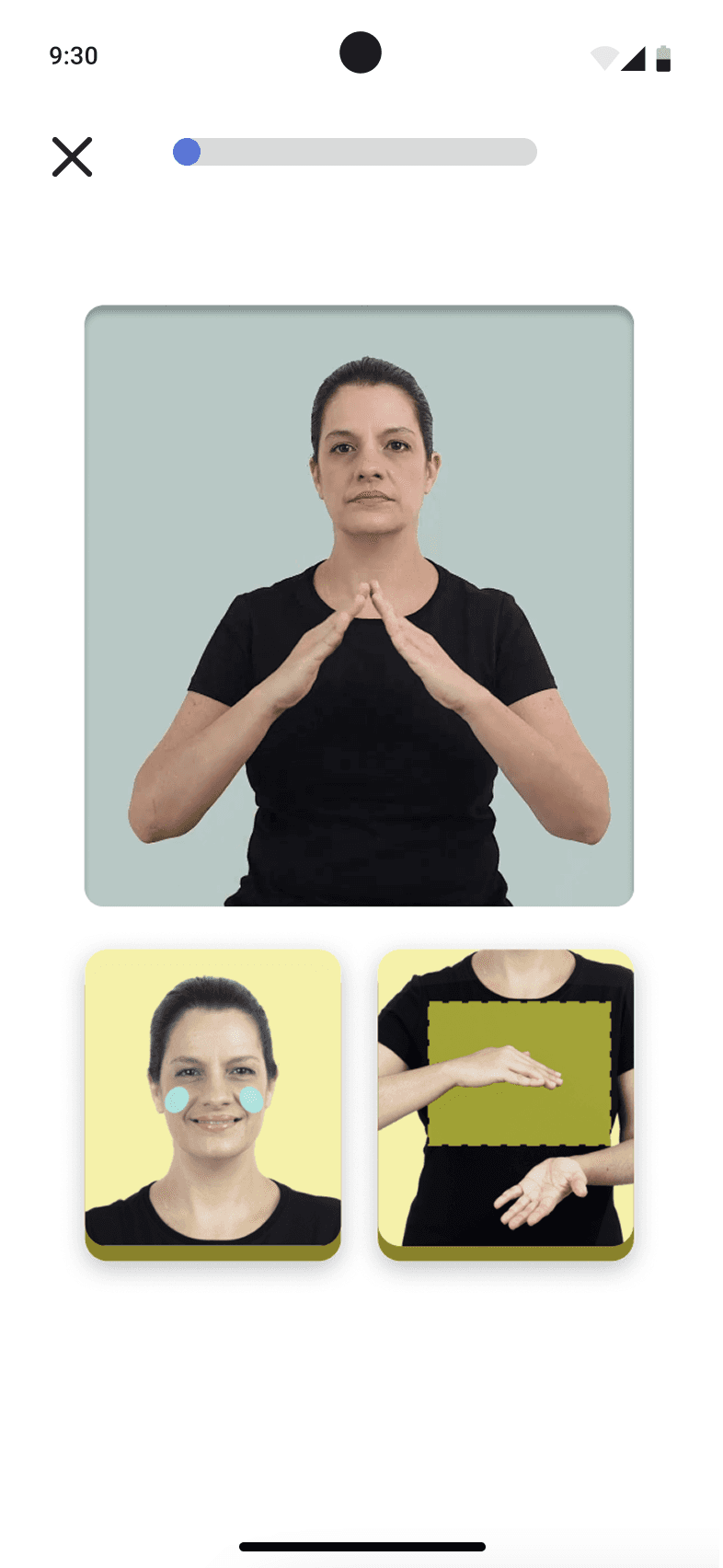
Hora da Libras exercise: match the signer video to the handshape pictures
Hora da Libras exercise: choose the picture that matches the sign
Hora da Libras exercise pairing signer videos with handshape pictures
Hora da Libras exercise: match the signer video to the handshape pictures
Hora da Libras exercise: choose the picture that matches the sign
Hora da Libras exercise pairing signer videos with handshape pictures
  • Hora da Libras exercise: match the signer video to the handshape pictures
  • Hora da Libras exercise: choose the picture that matches the sign
  • Hora da Libras exercise pairing signer videos with handshape pictures

Next Steps

We plan to invest in video rotoscoping to create a new game mechanic focused on the phonological parameter of Movement (M). This expands the content beyond handshape and place of articulation. We will also add new units covering diverse semantic fields to broaden learners’ vocabulary.

To sustain growth, a premium plan will be introduced. It will give access to these new units and advanced features while keeping the core experience free and accessible.

Reach me out on other channels

© 2025 – Daniel Monterazo

Reach me out on other channels

© 2025 – Daniel Monterazo

Reach me out on other channels

© 2025 – Daniel Monterazo

height
88

height
88